Transit Voice Announcement System
Automated Transit Announcements That Keep Riders Moving
Your stations generate hundreds of announcements daily - vehicle arrivals, service disruptions, platform changes, emergencies. When staff manage this manually, delays cascade, mistakes multiply, and riders lose trust. Transit CX automates routine announcements from real-time vehicle data while giving your team instant manual control when situations change. One system for scheduled operations and unexpected disruptions alike.
Key Benefits
Cut manual announcement workload
through GTFS-RT driven automation
Reach every rider
with 80+ languages powered by Microsoft Azure AI Speech
One update, two channels
riders hear AND see the same information simultaneously





.webp)

.webp)


One Announcement, Two Channels: Audio and Visual Together
Riders Hear It AND See It
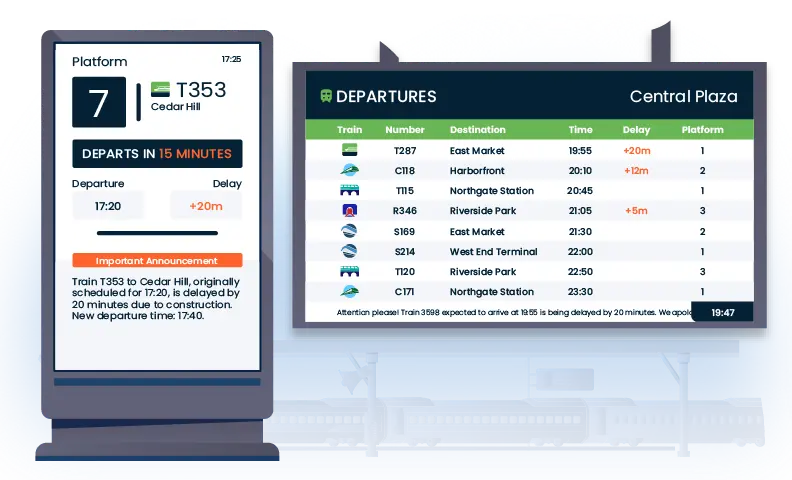
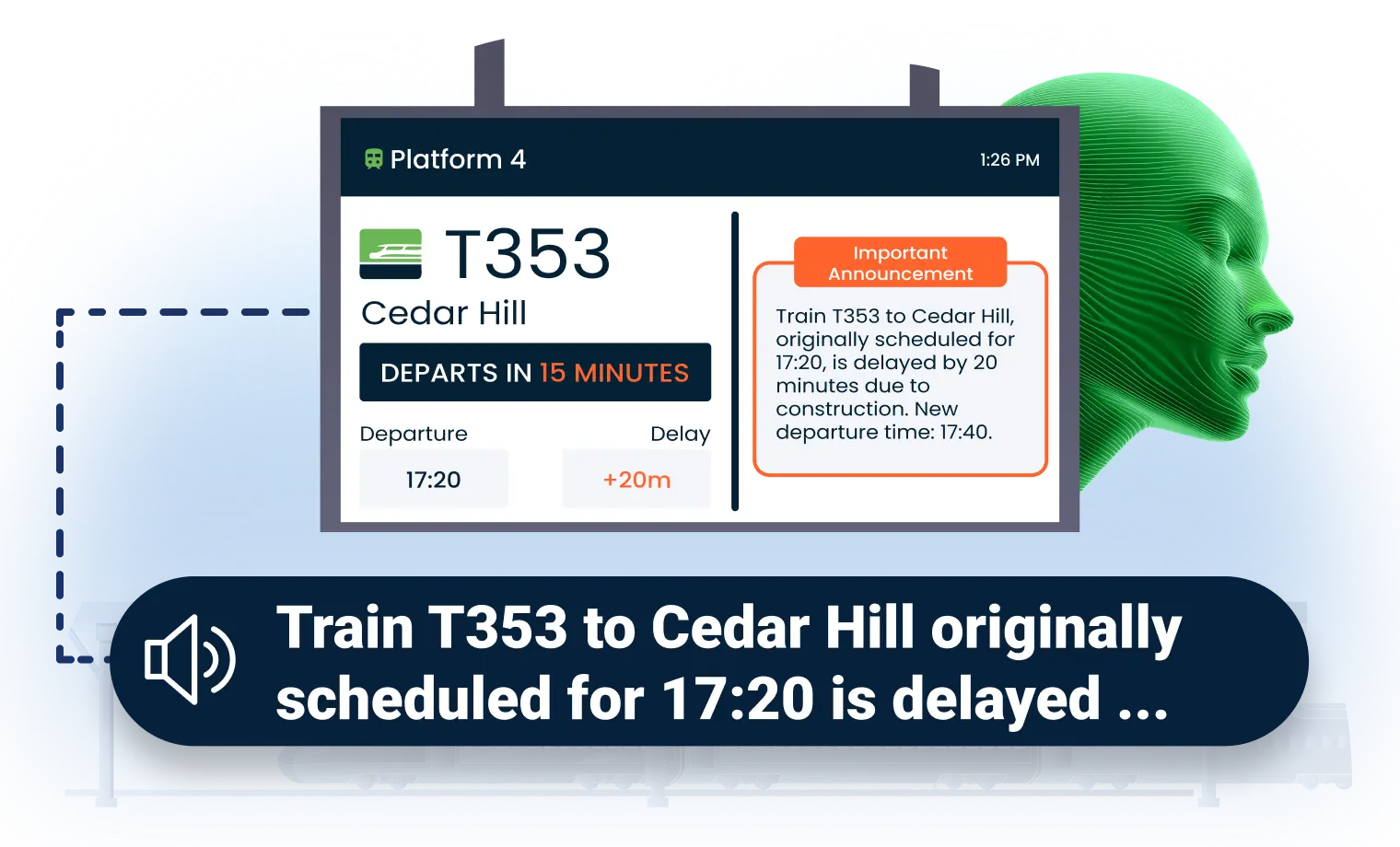
When an announcement plays, the same information appears as text on your passenger information displays - automatically. No duplicate data entry, no conflicting messages between what riders hear on speakers and read on screens. This is how Wellington Railway Station eliminated communication gaps during both planned and unplanned disruptions.
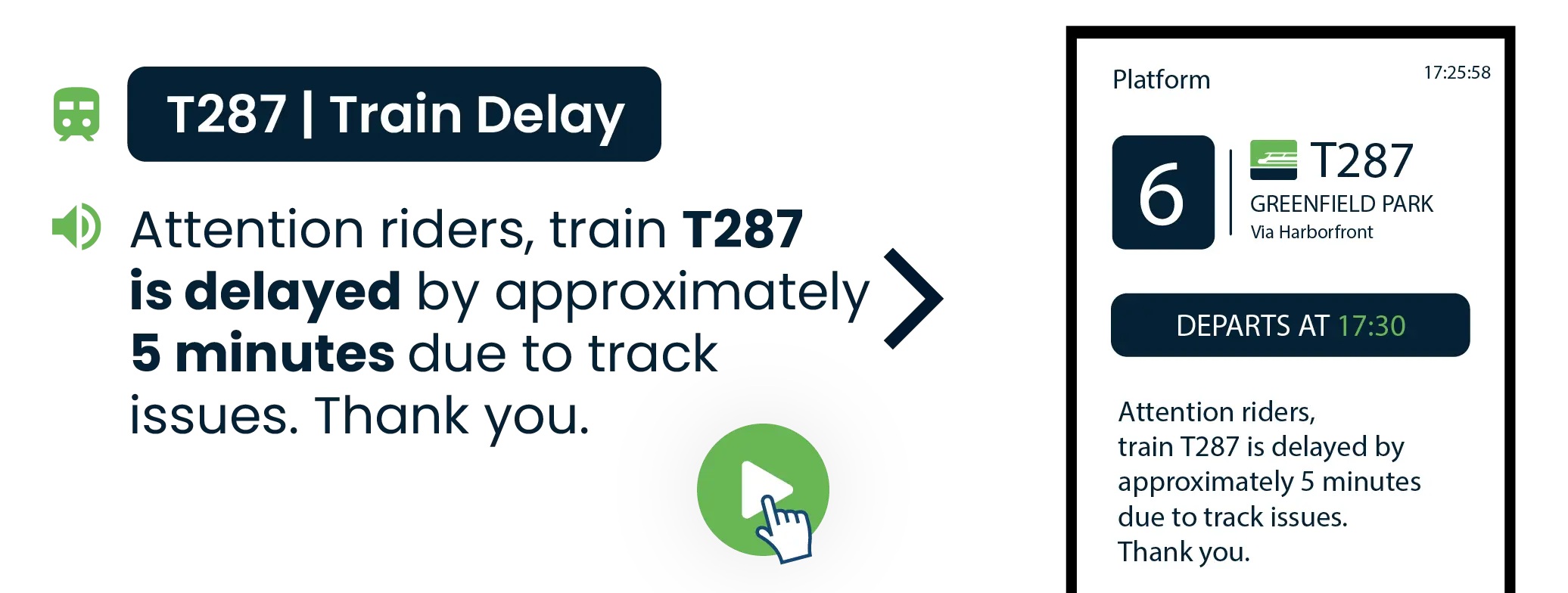
Accessible announcements for Every Rider
Accessibility requirements demand information through multiple channels. Transit CX delivers both from a single action:
Visual paging shows spoken announcements as on-screen text automatically
80+ languages including regional dialects for diverse ridership
Smart language selection based on route destination, time of day, or station location
Zone-based language assignment - international arrival areas get multilingual announcements while commuter platforms use local languages only

Automated Announcements with Full Manual Override
Vehicles arriving on schedule? Automatic notifications handle it. Service disruption requiring immediate update? Staff broadcast live from any station. Transit CX handles both scenarios without switching systems.
Schedule-Driven Automation
Configure templates that trigger when vehicles reach specific points. A bus entering your hub triggers "Route 42 to Downtown - now arriving at Platform 5" using real-time location data. Route numbers, destinations, and platform assignments populate automatically from your GTFS-Realtime feed. Next-stop announcements play based on vehicle position without driver intervention.

Live Station Announcements When Situations Change
Operations staff broadcast from microphone stations throughout your facility. Platform supervisors announce changes directly from their location. Control room staff record messages with AI noise suppression that filters background chatter, then target specific zones or broadcast facility-wide. When recording isn't practical, type a message for instant text-to-speech delivery.
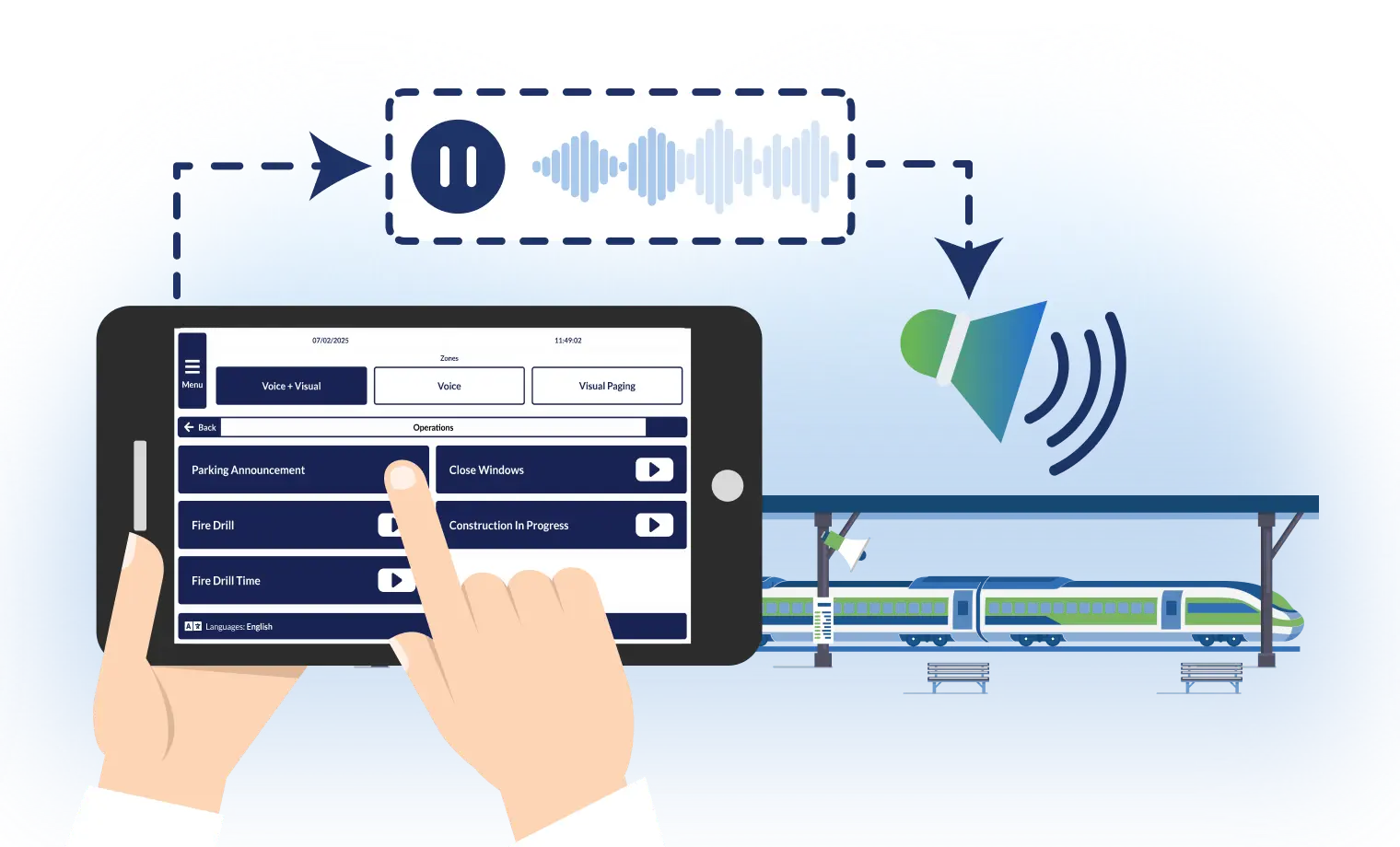
Interfaces Designed for Your Operations
Transit CX provides role-based interfaces for every staff function - from platform-level controls to network-wide management. Platform supervisors see only their zone. Control room operators manage the full network. Each interface shows only what that role needs - reducing training time, preventing errors, and delivering synchronized audio-visual communication across your entire transit network.
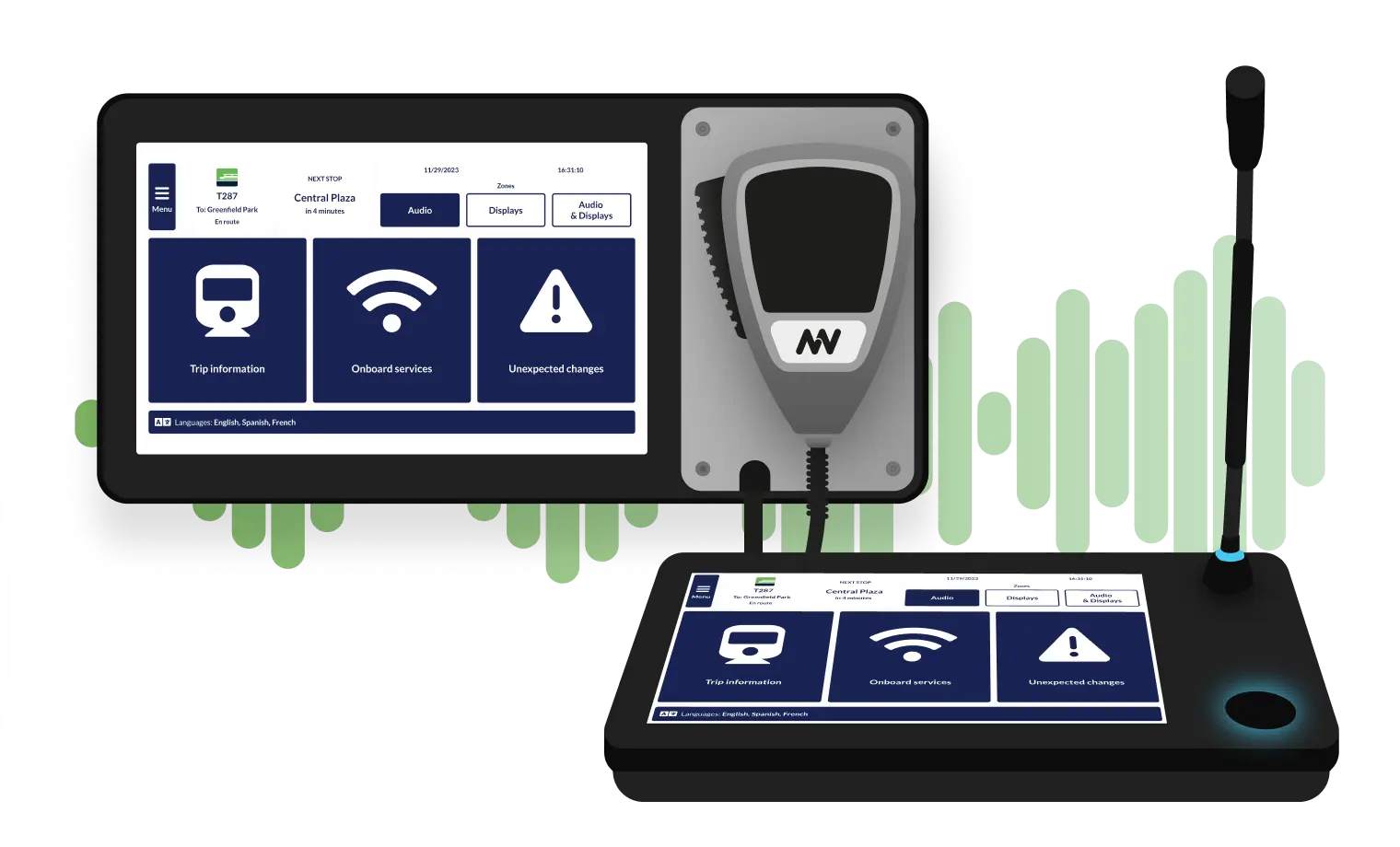
Emergency Broadcast Override
Pre-program complete emergency scenarios with specific messaging and target zones. One button activates evacuation instructions, lockdown procedures, or shelter-in-place directions. Emergency announcements override all other audio instantly - critical information reaches riders regardless of what's currently playing.

Professional Audio with nnounce Hardware
Pair Transit CX software with nnounce audio hardware - one vendor from server to speaker. nnounce devices use open standards like AES67 - compatible with Q-SYS, Bosch, Ateïs and your existing PA infrastructure.
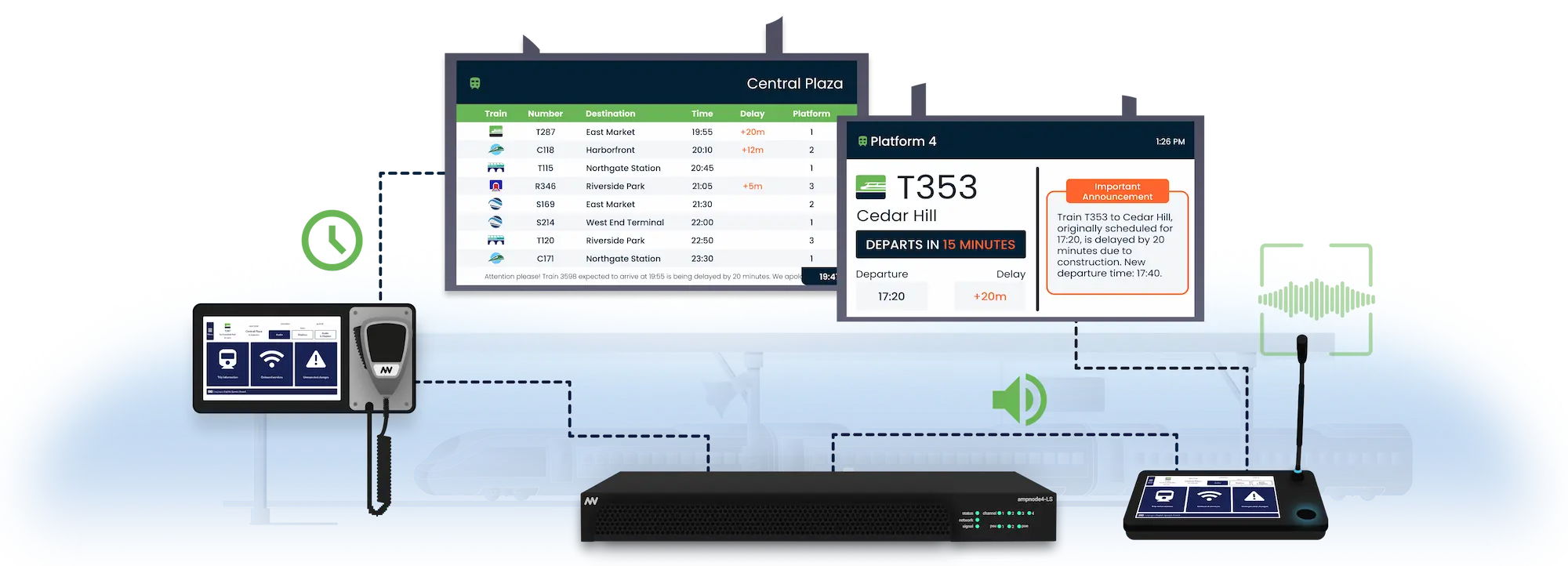
The nnounce product line includes touchscreen microphone stations for platform staff, ionode4 audio integration devices that connect to legacy PA systems, and ampnode4 amplifiers with built-in redundancy. Currently deployed at Jakarta LRT with ionode4 integration across all 3 lines.

Background Music That Sets the Right Tone
Transit CX synchronizes audio files across your nnounce devices. Create calm atmospheres in waiting areas, reduce perceived wait times during delays, and manage the overall station ambiance with professionally scheduled background audio that adjusts based on time of day and operational conditions.

Volume That Adapts to Your Environment
The nnounce ambient noise sensing component automatically adjusts announcement volume based on real-time station noise levels. Rush hour crowds, quiet late-night platforms, construction near entrances - your announcements stay clear and audible without manual adjustment.
Text-to-Speech Transit Announcements: Update Announcements in Minutes, Not Weeks
Routes change. Stations get renamed. New lines open. With pre-recorded audio, every change means scheduling voice talent, waiting for delivery, and manually replacing files across your network. Transit CX's TTS editor lets your team type the new announcement, fine-tune pronunciation, preview it, and push it live—all within minutes. When your next timetable change hits, your announcements are ready the same day.


Dynamic Variables from Real-Time Data
Insert variables into templates for information that changes constantly. [destination], [platform], [time], [route] populate automatically when the announcement plays based on current data from your passenger information system.

Displays Update Simultaneously
Every announcement—whether automated or staff-triggered—generates matching text on your passenger information displays. Riders receive the same information through audio and visual channels together.
Upgrade Without Replacement
Effortless Integration with Your PA Systems
Transit CX can be integrated into all common PA systems.




and more..
Automated Prayer Calls
Set Accurate Prayer Times for Every Location
Automate religious prayer calls using public APIs that provide precise prayer times based on GPS location.
Schedule these calls and designate specific audio zones to ensure they play at the right place and the right time, allowing passengers to maintain their religious obligations even while in transit.

Why Transportation Industry Chooses Transit CX Announcement System
Transit CX handles the full range of station audio communication, from automated GTFS-driven announcements to live emergency broadcasts, in one integrated platform.
Automated Announcements
GTFS-Realtime triggers arrivals, platform assignments and departures without dispatcher input.
80+ Language Support
Azure AI Speech generates announcements in any supported language, configurable per station.

Instant Manual Override
Staff broadcast live or type a message for immediate text-to-speech delivery when situations change.
One Update, Two Channels
Every announcement updates passenger information displays simultaneously.
Synchronized Audio & Visual
Deliver Announcements Your Passengers Appreciate
.webp)
Frequently Asked Question
Got questions? We’ve got answers.
Transit CX synchronizes voice announcements with passenger information displays from the same data source. When a delay announcement plays, matching text appears on platform screens automatically. Standalone PA systems handle audio only - staff must manually update displays separately. Wellington Railway Station eliminated this communication gap by deploying Transit CX for synchronized audio and visual.
Yes. The ionode4 audio integration device connects Transit CX to existing PA amplifiers and speaker systems from any manufacturer. You keep functional speaker infrastructure and gain automated, synchronized control. For facilities upgrading audio hardware, nnounce ampnode4 amplifiers and micnode2 microphone stations provide end-to-end integration. Currently deployed with ionode4 at Jakarta LRT across 3 lines.
Transit CX uses Microsoft Azure AI Speech, which produces near-human quality in 80+ languages. Our team fine-tunes pronunciation for your local station names, adjusts speech rate for different announcement types, and configures voice settings as part of onboarding and ongoing support.
Next arrivals, platform assignments, delay notifications, service disruptions, first and last service warnings, and next-stop announcements based on GPS position. Our team configures your announcement templates based on your operational requirements. Route numbers, destinations, and times populate automatically from GTFS-Realtime feeds. Your staff can edit templates easily when needs change, while automation covers the 90% of routine daily operations.
Pre-programmed emergency scenarios activate with one button - evacuation instructions, security alerts, or service suspension messages broadcast to designated zones instantly. Emergency audio overrides all other content. Matching text appears on passenger displays simultaneously. Scenarios repeat at set intervals to reach latecomers, and regular announcements pause during critical alerts.
Yes. Transit CX supports zone-based language assignment. International arrival areas receive multilingual announcements while commuter platforms use local languages only. Configure language selection by station, route, time of day, or destination. The system handles any alphabet - Latin, Cyrillic, Arabic, Chinese, Japanese, Korean - and switches between languages automatically within a single announcement sequence.